Fonts are a critical part of design, branding, and digital communication. Among the most commonly used font formats are OTF (OpenType Font) and TTF (TrueType Font). While they may look similar in appearance, the difference between OTF and TTF lies in their technology, features, file structure, and usage flexibility.
Both formats are widely supported across operating systems and design tools, but choosing the right one can impact your workflow, typography quality, and performance.
In this detailed guide, you’ll learn about what OTF and TTF are, their features, applications, and 15 key differences with examples.
What is TTF (TrueType Font)?
TTF (TrueType Font) is one of the oldest and most widely used font formats. It was developed by Apple and later adopted by Microsoft to ensure consistent font rendering on screens and printers.
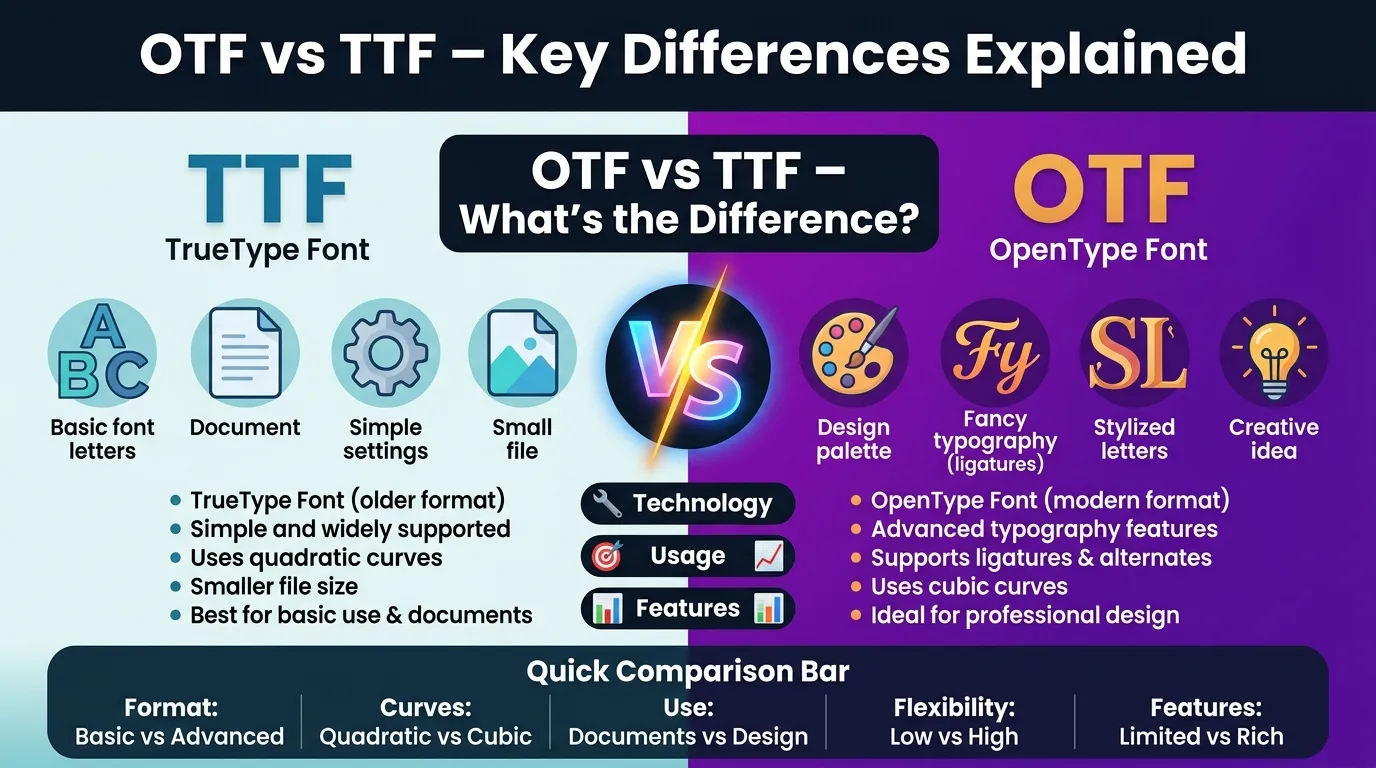
TTF fonts use quadratic Bézier curves, which makes them efficient and easy to render, especially for basic text usage.
Key Features of TTF:
- Older and widely supported format
- Uses quadratic curves
- Smaller file size (in many cases)
- Easy to install and use
- Good for general-purpose text
Applications & Uses of TTF:
- Everyday documents (Word, PDFs)
- Websites and basic design
- System fonts in operating systems
- Simple graphic design projects
Simple idea: TTF = simple, widely compatible font format
What is OTF (OpenType Font)?
OTF (OpenType Font) is a more advanced font format developed by Microsoft and Adobe. It combines the features of TrueType and PostScript technologies.
OTF fonts support advanced typographic features such as ligatures, alternate characters, and extended glyph sets.
Key Features of OTF:
- Advanced typography support
- Uses cubic Bézier curves
- Supports ligatures and stylistic alternates
- Better for professional design work
- Cross-platform compatibility
Applications & Uses of OTF:
- Professional graphic design
- Branding and typography
- Publishing and printing
- Advanced text styling
Simple idea: OTF = advanced, feature-rich font format
Quick Comparison Table
| Feature | TTF | OTF |
| Full Form | TrueType Font | OpenType Font |
| Technology | Older | Advanced |
| Curve Type | Quadratic | Cubic |
| File Size | Smaller | Slightly larger |
| Typography Features | Basic | Advanced |
| Ligatures | Limited | Supported |
| Compatibility | Very high | Very high |
| Usage | General | Professional |
| Flexibility | Less | More |
| Design Capability | Basic | Advanced |
15 Key Differences Between OTF and TTF with Examples
1. Definition
TTF is a basic font format designed for simplicity and compatibility, while OTF is an advanced font format with enhanced typographic features.
Example:
TTF = simple font file
OTF = feature-rich font file
2. Technology Level
TTF uses older font technology, while OTF combines modern font technologies for better performance.
Example:
OTF supports advanced typography tools used in professional software
3. Curve Type
TTF uses quadratic Bézier curves, while OTF uses cubic Bézier curves, allowing more precise shapes.
Example:
OTF fonts can create smoother curves in detailed typography
4. Typography Features
TTF offers basic text features, while OTF supports advanced typography like ligatures and alternate characters.
Example:
OTF can automatically replace “fi” with a stylish ligature
5. Ligature Support
TTF has limited or no support for ligatures. OTF fully supports ligatures.
Example:
In OTF, “fl” may appear as a combined artistic character
6. Glyph Variety
OTF supports a larger number of glyphs and stylistic options compared to TTF.
Example:
OTF fonts include decorative letter variations for design
7. File Structure
TTF has a simpler structure, while OTF has a more complex and flexible structure.
8. File Size
TTF files are often smaller, while OTF files can be slightly larger due to extra features.
9. Compatibility
Both formats are widely compatible, but TTF is slightly more universal due to its older presence.
Example:
Older systems may support TTF more reliably
10. Usage Purpose
TTF is best for general use, while OTF is better for professional design and typography.
11. Design Flexibility
OTF provides more creative flexibility for designers compared to TTF.
Example:
Designers use OTF for branding and logos
12. Printing Quality
OTF offers better control over typography in printing, while TTF works well for standard printing.
13. Software Support
Modern design tools (like Adobe software) fully support OTF features, while TTF may not unlock advanced options.
14. Cross-Platform Use
Both formats work across platforms, but OTF ensures better consistency in professional workflows.
15. Overall Capability
TTF is simple and reliable, while OTF is powerful and feature-rich.
Example:
TTF = everyday use
OTF = professional design
When to Use OTF vs TTF
Use TTF if:
- You need simple fonts for everyday use
- You want maximum compatibility
- You are working on basic documents
Use OTF if:
- You are doing professional design work
- You need advanced typography features
- You want creative flexibility
Advantages and Disadvantages
TTF
✔ Advantages:
- Easy to use
- Highly compatible
- Lightweight files
❌ Disadvantages:
- Limited typography features
- Less design flexibility
OTF
✔ Advantages:
- Advanced features
- Better typography control
- Ideal for professional design
❌ Disadvantages:
- Slightly larger file size
- Not fully utilized in basic software
Conclusion
The difference between OTF and TTF comes down to simplicity vs advanced capability. TTF is a reliable and widely compatible format suitable for everyday use, while OTF provides enhanced typographic features and greater design flexibility.
Choosing between them depends on your needs—use TTF for simplicity and compatibility, and OTF for professional and creative work.
Final takeaway:
- TTF = Simple, compatible, everyday use
- OTF = Advanced, flexible, professional design
FAQs
1. Is OTF better than TTF?
Yes, for professional design, OTF is better due to advanced features.
2. Which format is smaller?
TTF is usually smaller in size.
3. Can I convert TTF to OTF?
Yes, conversion tools are available.
4. Which is better for web use?
Both work, but TTF is commonly used.
5. Do all programs support OTF?
Most modern programs do, but some basic apps may not use its advanced features.

I am content creator and comparison blogger focused on analyzing key differences between terms, concepts, and ideas to deliver accurate, easy-to-understand information. So I decided to create a platform where these differences are explained in the simplest way possible.